
blog

How to Sell Your Old Phone for the Best Price in India
How to Sell Your Old Phone for the Best Price in India

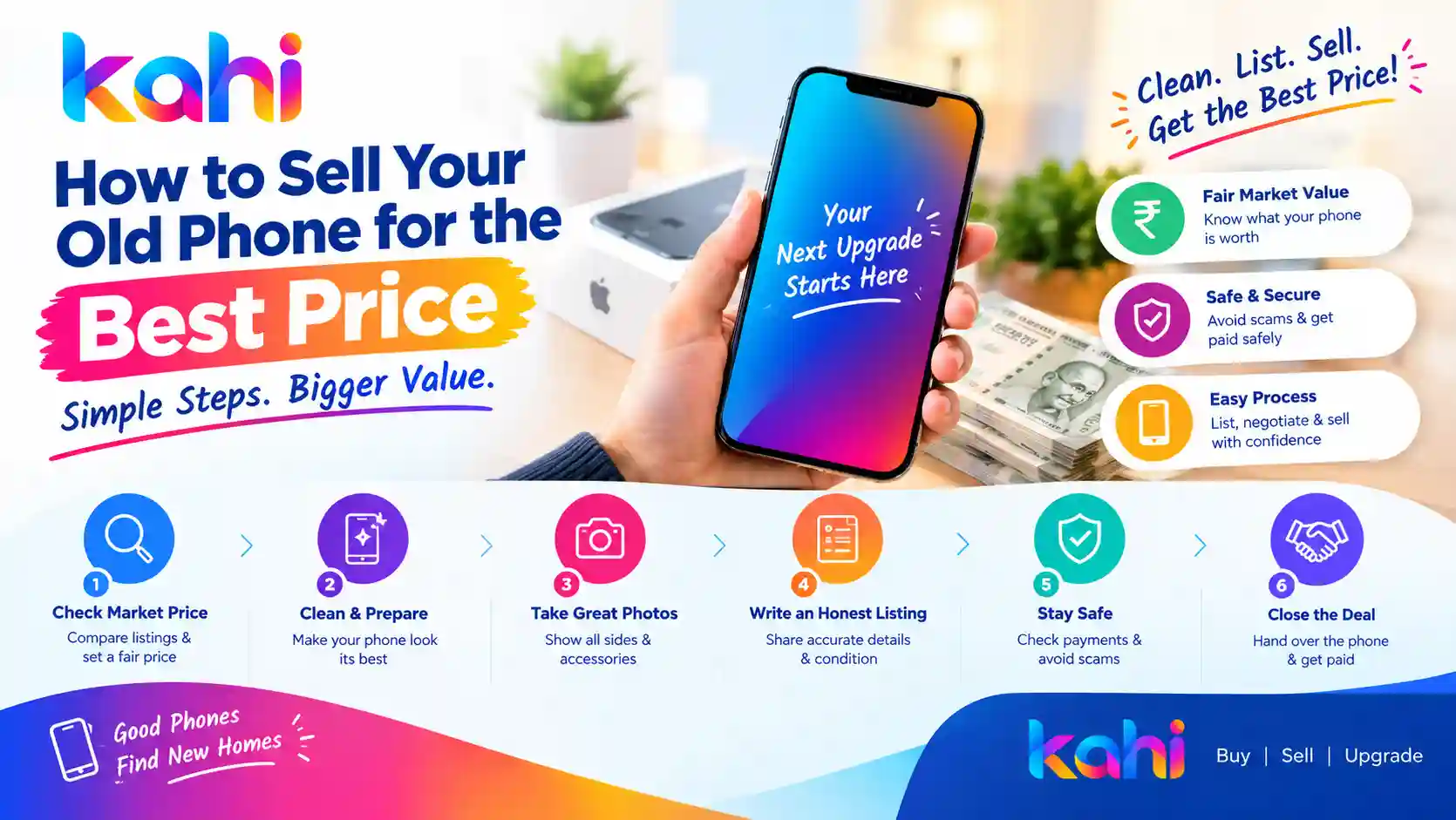
Planning to upgrade to a new smartphone? Selling your old phone can help you recover part of its original cost and put that money towards your next purchase. However, getting the best price requires more than simply posting an advertisement online. Your phone’s condition, model, storage capacity, battery health, accessories, and current market demand can all affect its resale value. The way you prepare the device, create your listing, and negotiate with buyers can also make a difference. Whether you own an iPhone, Samsung Galaxy, OnePlus, Redmi, Vivo, Oppo, or another smartphone, this guide explains how to sell your old phone for the best price in India. 1. Check Your Phone’s Current Market Value Before listing your phone for sale, research its current resale price. This helps you set a realistic asking price and avoid accepting an unnecessarily low offer. Start by checking listings for the same phone model, storage variant, and similar condition. Compare these details: For example, two phones of the same model may sell at different prices if one has a clean display, a healthy battery, and complete accessories while the other has scratches or a replaced screen. Remember that advertised prices are not always the final selling prices. Compare several listings and consider how long similar devices have been available. 2. Clean Your Phone Before Taking Photos First impressions matter when selling a used smartphone. A clean, well-presented device can make your listing more attractive to potential buyers. Before photographing your phone: Do not use harsh chemicals or abrasive materials that could damage the device. If the phone has scratches, dents, or cracks, show them honestly in your listing. Clear disclosure builds trust and reduces the chance of disagreements during the sale. 3. Take Clear, High-Quality Photos Good photographs help buyers understand exactly what you are selling. You do not need a professional camera; a smartphone camera and natural lighting are usually sufficient. Capture pictures of: Use a clean background and avoid filters that change the phone’s appearance. Make sure the photos represent the actual device rather than stock images. A transparent listing can attract more serious buyers and make negotiations easier. 4. Write an Honest and Detailed Listing A clear product description answers common buyer questions before they contact you. Include the following information: For example: Samsung Galaxy smartphone for sale Replace the example details with accurate information about your own phone. Never claim that a phone is unused, original, or under warranty unless you can substantiate the claim. 5. Choose the Right Selling Platform The platform you choose can influence the number of potential buyers, the effort required to sell, and the price you receive. Common options include: If you want to sell directly, a marketplace listing can help you compare offers from different buyers. Read the platform’s rules, understand any applicable fees, and follow safe transaction practices. You can explore phone listings and marketplace options on Kahi.in to help you plan your buying or selling journey. 6. Set a Smart Asking Price Setting the right price is one of the most important steps when selling an old phone. If your asking price is much higher than comparable devices, buyers may ignore your listing. If it is too low, you could lose money unnecessarily. Use this approach: You may leave a modest negotiation margin if bargaining is common in your market, but avoid inflating the price far beyond comparable listings. The best price is the highest reasonable amount a genuine buyer is willing to pay—not necessarily the highest price advertised online. 7. Highlight Genuine Benefits and Accessories Accessories can make your listing more appealing, especially when they are in good condition. Mention whether you have the original box, charging cable, compatible charger, protective case, purchase invoice, or proof of warranty. Also highlight genuine benefits such as: Do not buy expensive accessories solely to increase the resale price unless you have a clear reason to believe the additional cost will be recovered. 8. Protect Your Personal Data Before Selling Your smartphone may contain private photos, messages, documents, banking apps, saved passwords, and account information. Protecting this data is essential. Before handing over the device: For iPhones, follow Apple’s official instructions for preparing a device for sale. For Android phones, follow the relevant manufacturer’s guidance. Never share your Apple Account password, Google password, banking PIN, or one-time password with a buyer. A genuine buyer does not need your private login credentials. 9. Avoid Common Phone-Selling Scams Online phone sales can attract fraudulent buyers. Stay cautious even if someone appears friendly or offers to complete the transaction quickly. Watch out for these warning signs: Fake payment screenshots: Check your bank or payment app directly. Do not hand over the phone based on a screenshot or message alone. UPI collect requests: You generally do not need to enter your UPI PIN to receive money. Never approve an unexpected payment request or share your PIN. Overpayment tricks: Be cautious if a buyer claims to have paid extra and asks you to refund the difference before you can independently verify the transaction. Unnecessary advance requests: Do not pay a buyer a fee to release payment or arrange a supposed courier service. Pressure to rush: Avoid buyers who refuse reasonable inspection or insist that you ignore normal safety checks. Unsafe meetings: For an in-person sale, choose a public, well-lit location and consider taking someone with you. If selling through a marketplace, keep relevant communication and transaction records and follow its safety guidance. 10. Negotiate Confidently With Buyers Some buyers will negotiate even when your asking price is reasonable. Prepare for this by deciding your minimum acceptable amount in advance. When responding to an offer: Avoid misleading claims such as saying that several buyers have already offered more if that is not true. Honest communication can help you complete a smoother transaction. 11. Choose the Right Time to Sell Smartphone resale prices can change when new models launch, festive sales begin, or manufacturers reduce prices on older devices. If you already … Read more
How to Check If a Used iPhone Is Genuine: A Complete Buyer’s Guide

How to Check If a Used iPhone Is Genuine: A Complete Buyer’s Guide

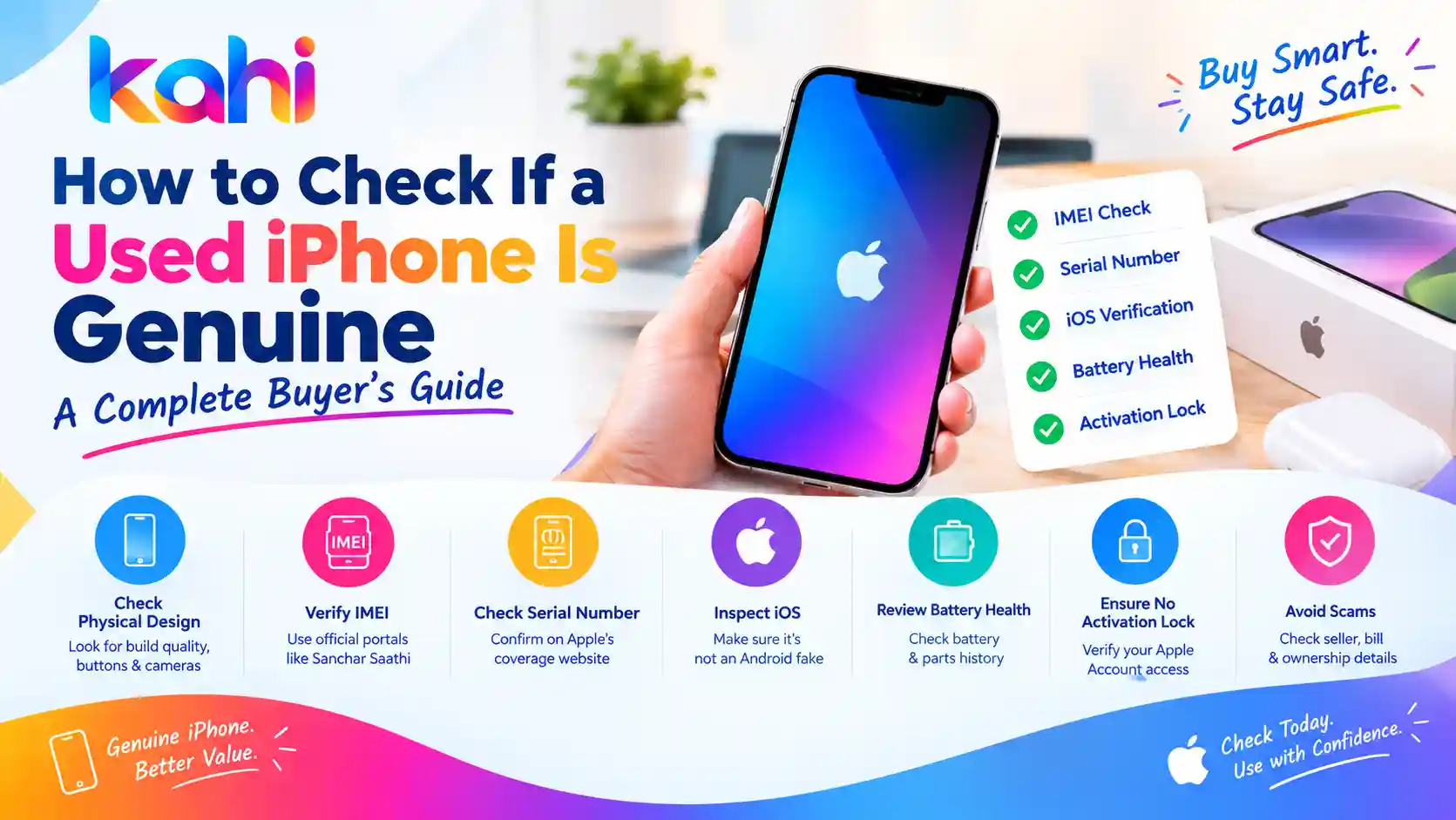
Buying a second-hand iPhone can help you save money while enjoying Apple’s features and performance. However, used iPhones can come with risks, including counterfeit devices, replaced parts, hidden damage, blacklisted IMEIs, and phones linked to someone else’s Apple Account. Before buying a pre-owned iPhone, it is important to verify its authenticity and check its condition. A phone that looks like an original iPhone may still have replaced components or other issues that affect its performance and value. In this guide, you will learn how to check if a used iPhone is genuine, verify its IMEI and serial number, inspect important features, and avoid common second-hand phone scams in India. 1. Check the iPhone’s Model and Physical Design Start by inspecting the phone’s exterior. Compare its design with the official specifications and images for the exact iPhone model. Check the following: Physical appearance alone cannot prove authenticity. Counterfeit devices may copy the exterior of genuine iPhones, so you must also check the software and device information. 2. Verify the IMEI Number The International Mobile Equipment Identity (IMEI) is a unique identifier used for mobile devices. Checking it can help you identify inconsistencies and investigate whether a phone has been reported lost or stolen. How to find the IMEI on an iPhone Compare the IMEI shown in the settings with the number displayed through the dial code and the device’s packaging or documentation, if available. Some models support multiple IMEIs, so compare the corresponding identifier carefully. In India, you can use the official Department of Telecommunications Sanchar Saathi portal to check a handset’s IMEI through its Know Your Mobile (KYM) service. Do not buy the phone if the identifiers are inconsistent or the seller cannot reasonably explain the discrepancy. A clean IMEI result alone does not prove that the device is genuine or that the seller legally owns it. 3. Check the Serial Number on Apple’s Website Apple provides a coverage-check service that lets you look up a device using its serial number. To check it: Confirm that the returned device information is consistent with the iPhone being sold. Important: A serial number that produces a valid result does not guarantee authenticity. Counterfeit phones can copy serial numbers from genuine devices. Use this check alongside the other steps in this guide. 4. Make Sure the Phone Runs Genuine iOS One useful way to identify a counterfeit iPhone is to inspect its operating system and built-in features. A genuine iPhone runs Apple’s iOS, not Android disguised to look like an iPhone. Check these features: Do not rely on just one test. Counterfeit devices may imitate the appearance of iOS, and software recognition should be considered alongside the device’s identifiers, hardware, and ownership status. 5. Check Parts and Service History A genuine iPhone may have undergone repairs, including a screen or battery replacement. This does not automatically make it counterfeit, but you should understand what has been replaced. On supported models and iOS versions: Depending on the model and repair, the section may identify certain components as genuine, used, unknown, or otherwise requiring attention. Pay particular attention to the display, battery, cameras, and other listed components. An unknown-part message does not necessarily mean the entire phone is fake. It may indicate an unverified, nongenuine, or improperly functioning replacement part. Ask the seller for repair records and have a qualified technician inspect the device if necessary. 6. Check Battery Health and Charging Battery condition can significantly affect the value of a used iPhone. To check battery health: A lower maximum capacity means the battery has less capacity than when it was new. It does not, by itself, mean the iPhone is fake. Also test the charging port, cable connection, wireless charging if supported, and whether the phone heats up unusually during normal use. Do not rely only on the percentage shown by the seller. Check the information directly on the device. 7. Confirm That Find My and Activation Lock Are Not Blocking You One of the most important checks when buying a used iPhone is ensuring the previous owner’s Apple Account is no longer linked to the device. A phone protected by Activation Lock may require the previous owner’s Apple Account credentials before it can be activated and used. Before paying: Never accept a promise that the seller will remove the lock later. If the device requests the previous owner’s account during activation, ask them to resolve it before completing the purchase. Avoid buying a phone that is advertised as iCloud locked or that requires bypassing Apple’s security protections. 8. Test the Main Features Before Paying Even if the iPhone appears genuine, it may have hardware problems. Use this checklist during inspection: Component What to check Display Dead pixels, touch response, brightness, and discolouration Cameras Front and rear cameras, focus, video, and flash Face ID or Touch ID Whether the supported biometric feature works Speakers Music, ringtone, and call audio Microphones Voice recordings and calls Buttons Power, volume, and other model-specific controls Connectivity Wi-Fi, Bluetooth, mobile network, and GPS SIM/eSIM Confirm compatibility with your carrier and intended setup Charging Stable charging and port condition Storage Available capacity and consistency with the advertised model Make a test call and, if possible, test the phone with your own SIM. Confirm that the phone’s storage and model match the seller’s description. 9. Check the Seller, Bill, and Ownership Details A genuine phone can still be stolen, misrepresented, or sold without proper ownership documentation. Ask the seller for the original purchase invoice, if available, and check whether the details are consistent with the device. An invoice is helpful but should not be treated as conclusive proof of ownership. You should also: Do not share passwords or verification codes with the seller, and never let anyone else keep control of your Apple Account. 10. Watch Out for These Second-Hand iPhone Scams Be cautious if you encounter any of the following warning signs: Unusually low prices: A price far below comparable listings may indicate a scam, a locked phone, hidden … Read more

How to Check a Second-Hand Phone Before Buying: 15 Tests

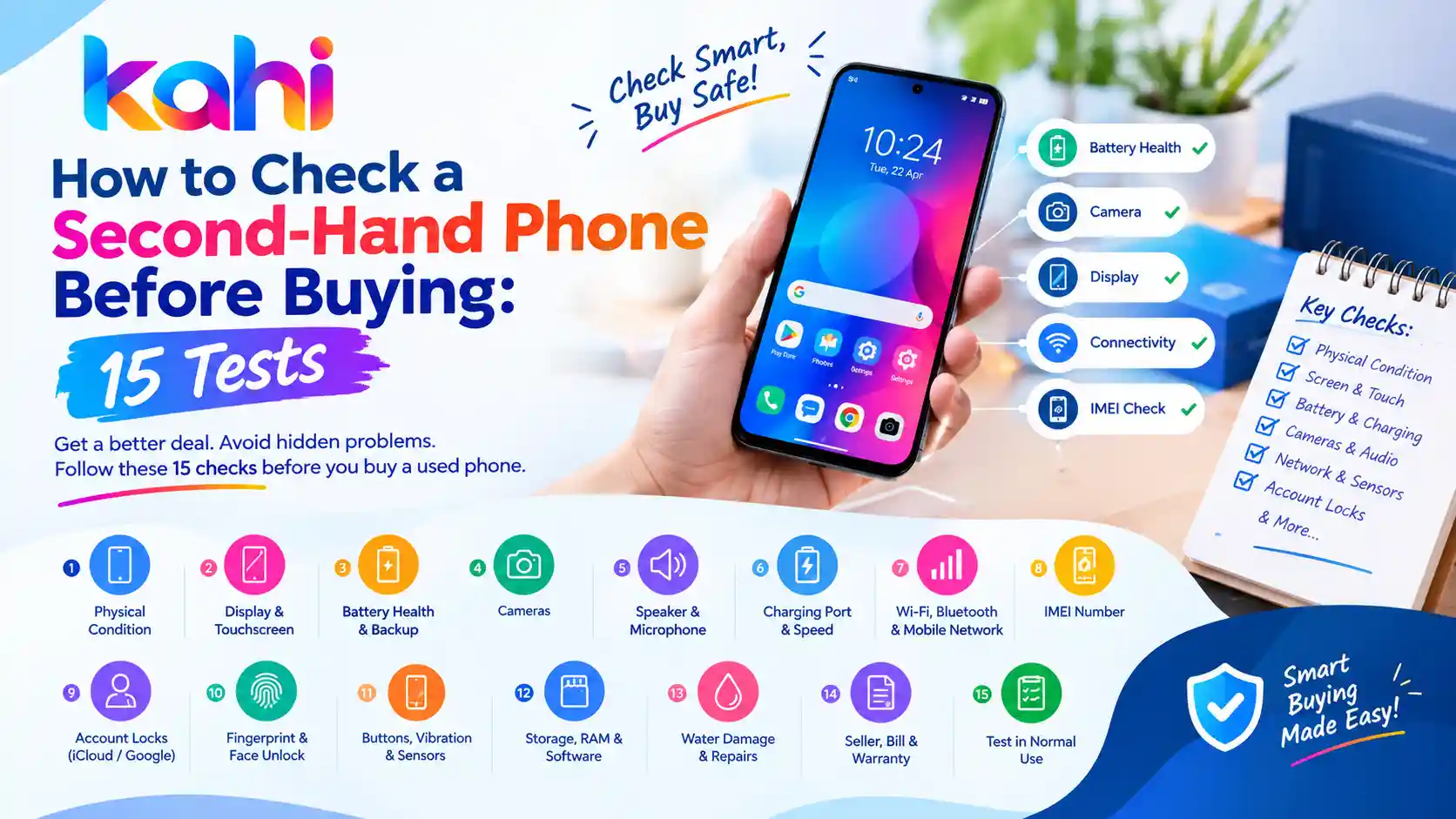
Buying a second-hand phone can help you save money while getting a smartphone with useful features. However, a phone that looks perfect from the outside may have hidden problems, such as a weak battery, damaged display, faulty camera, network issues, or software restrictions. Whether you are buying a used iPhone, Samsung Galaxy, OnePlus, Redmi, Vivo, or another smartphone, checking the device properly before paying is essential. In this guide, we explain how to check a second-hand phone before buying with 15 simple tests. These checks can help you identify common problems, avoid suspicious deals, and make a more informed purchase through platforms such as Kahi.in. 1. Check the Phone’s Physical Condition Start by carefully examining the phone’s body. Look for cracks, dents, scratches, loose buttons, and signs of impact. Pay particular attention to the corners, screen edges, camera lenses, charging port, and back panel. These areas can reveal whether the phone has been dropped or poorly repaired. Also check for gaps between the frame and screen, unusual bulges, or a back panel that appears to be lifting. A swollen battery can push the screen or back cover outward and requires professional attention. What to do: Remove the case, inspect the device under good lighting, and ask the seller about any visible damage. 2. Test the Display and Touchscreen The display is one of the most expensive components to replace, so test it carefully. Open a white screen, a dark screen, and several colourful images. Look for dead pixels, unusual lines, flickering, discolouration, dark patches, and uneven brightness. Next, open the keyboard or a drawing app and touch every area of the screen. Make sure the touchscreen responds accurately, including near the edges. Check whether the brightness controls work and whether the screen changes brightness smoothly. Warning sign: Random touches, unresponsive areas, or visible lines may indicate display damage or a previous low-quality repair. 3. Check Battery Health and Backup A used phone may work normally but have a battery that drains quickly or shuts down unexpectedly. Check the battery health information available in the phone’s settings. The exact feature depends on the model and operating system. Some phones provide a battery health percentage, while others offer only usage statistics or diagnostic tools. Ask the seller how long the battery lasts during normal use. If possible, use the phone for several minutes with the screen on and observe whether the battery percentage drops unusually quickly. Look for overheating, sudden shutdowns, or battery swelling. Remember that a short inspection cannot accurately establish the phone’s total battery capacity or long-term backup. 4. Test the Cameras Open the front and rear cameras and take several photographs in different lighting conditions. Check the following: Switch between all available lenses, such as ultra-wide and telephoto cameras. Test autofocus by photographing an object close up and another farther away. If the camera shakes excessively, fails to focus, or produces persistent spots, ask whether the camera module has been repaired. 5. Test the Speaker and Microphone Audio problems can be easy to overlook during a quick inspection. Play a video or music track at different volume levels. Listen for crackling, distortion, or unusually low sound. Then record a voice note and play it back. If possible, make a test call to check the earpiece and microphone. Also test the loudspeaker during a call and check whether the phone’s audio remains clear. If the seller refuses a simple audio test, take extra care before proceeding. 6. Check the Charging Port and Charging Speed Connect a compatible charger and confirm that the phone begins charging reliably. Gently check whether the connector fits securely. If the phone supports fast charging, confirm that the relevant charging indicator appears when using a compatible charger and cable. Look for: Do not force a cable into the port or insert metal objects to clean it. If you suspect damage or moisture, have the device checked by a technician. 7. Test Wi-Fi, Bluetooth, and Mobile Network A phone may look fine but have connectivity problems. Insert your SIM card if possible and check whether the phone detects the network. Make a test call, send a message, and test mobile data. Connect to a Wi-Fi network and pair the phone with Bluetooth headphones or another device if available. If the model supports GPS navigation, open a maps application and check whether it can locate you. For a dual-SIM phone, test both SIM slots where practical. Important: Confirm that the phone supports the network bands and SIM type you intend to use. 8. Check the IMEI Number The IMEI is a unique identifier used to identify a mobile device. Checking it can help you detect certain inconsistencies before purchasing. On many phones, you can display the IMEI by entering *#06# in the dialler. You can also check the device settings or original packaging, although packaging alone is not proof of authenticity. Compare the IMEI shown on the phone with the relevant documentation where available. In India, use the official Sanchar Saathi portal or its CEIR-related services to check the IMEI status and relevant blocking information. Do not buy a phone if its identifiers appear tampered with, the seller cannot explain a mismatch, or the device is reported blocked. An IMEI check does not guarantee that a phone is genuine or free of every legal or ownership issue. 9. Check for iCloud, Google Account, and Activation Locks This is one of the most important tests when buying a used smartphone. For an iPhone, ask the owner to sign out of their Apple Account and disable Find My as required before erasing the device. The phone should be ready for the new owner’s setup without asking for the previous owner’s credentials. For an Android phone, the seller should remove their Google account and other relevant accounts before performing a factory reset. Otherwise, Factory Reset Protection may ask for the previous account during setup. Ideally, complete the reset and initial setup with the seller present before paying. Never buy a … Read more